Grammarly and Canva: How I Use Them to Sharpen PR Work in Today’s AI-Driven Landscape
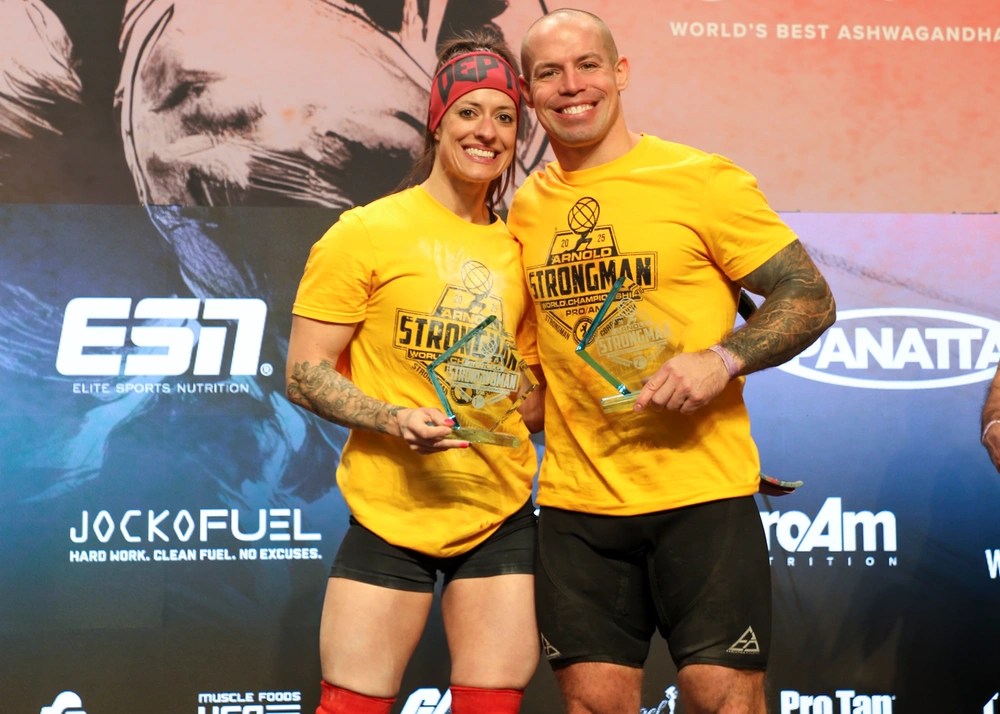
As public relations work gets faster and expectations rise, tools like Grammarly and Canva have become central to how I write and design. I recently wrote a news story titled “Army Athlete Earns Second Place at 2025 Arnold Classic” on DVIDS. During that process, Grammarly’s AI suggestions helped me make the writing clear, more concise, and more consistent. At the same time, when preparing social media kits and graphics for promotion, Canva offered formatting ideas that saved time and boosted visual appeal. This article examines how both tools function, why they are instrumental in PR today, and what their strengths and limits are.
Grammarly: From Draft to Clarity
Grammarly is an AI‑powered writing assistant that offers more than just grammar and spelling correction. Its capabilities include suggestions for tone, style, clarity, and conciseness. When writing the Arnold Classic article, I drafted the first version, then ran it through Grammarly. It suggested rewrites for long or cumbersome sentences, flagged passive voice, and helped me adjust tone so the voice sounded neutral and professional rather than overly casual or verbose.
For public relations professionals, who are often in a position where they must produce media releases, backgrounders, or statements under tight deadlines, these features matter. They help ensure that messages are not only error‑free but also polished in tone, consistent across channels, and appropriate for the audience.
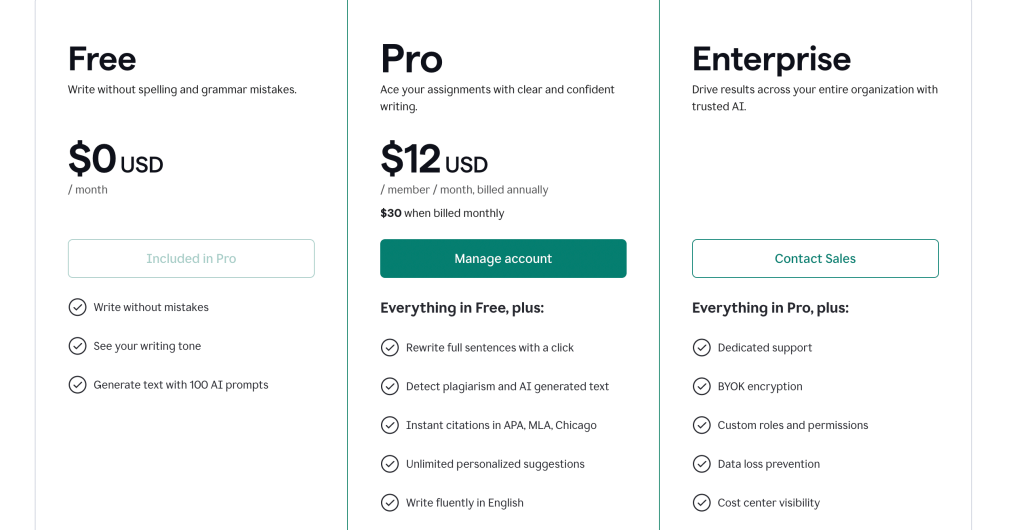
Pricing structure: https://www.grammarly.com/plans
- Free plan: basic grammar, punctuation, spelling checks.
- Premium plan: more advanced features such as full‑sentence rewrites, tone detection, clarity improvements, and plagiarism checking.
- Business/Team versions: include style guides and team collaboration features.
Best features:
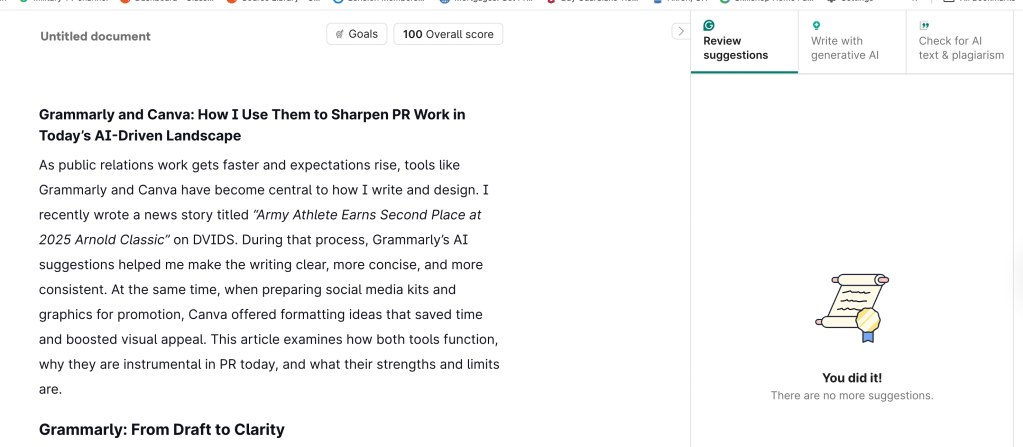
The rewrite suggestions and tone adaptation are the most helpful in my experience. They allow me to take a regular draft that may feel flat or rough and elevate it quickly.
Worst features:
Occasionally, the suggestions misinterpret domain‑specific or technical terms (especially when writing about military, fitness, or service‑related topics), proposing changes that dilute meaning or impose unnecessary formality. Also, when working on mobile, the depth of suggestions is more limited than on desktop.
Cross‑platform usability:
Grammarly works on desktop/web browsers, as a browser extension, and via mobile apps or keyboard integrations. The desktop/web version provides full functionality. On mobile, it is handy for quick edits, spelling checks, or tone adjustments, but less effective for heavy rewriting or handling complex documents, especially in bulk.
Canva: Visual Storytelling Made Accessible
While Grammarly helps with words, Canva helps with visuals. It is a non-AI (mostly template- and design-driven) platform that allows users with no formal design training to build graphics, layouts, and social media content. For the promotion of the Arnold Classic article, I used Canva to build internal promotional graphics: image headers, quote cards, and social media post formats. Canva’s library of templates and its layout suggestions made it easy to choose design formats that align with visual expectations in military media outlets and social channels.
For PR professionals, Canva addresses the frequent need to produce visuals rapidly, even without a designer on hand. It helps ensure branding consistency (fonts, colors, layout style). This consistency is unmatched compared to other tools available. Canva also supports visual storytelling, which can improve engagement when the content appears polished.
Pricing structure: https://www.canva.com/pricing/
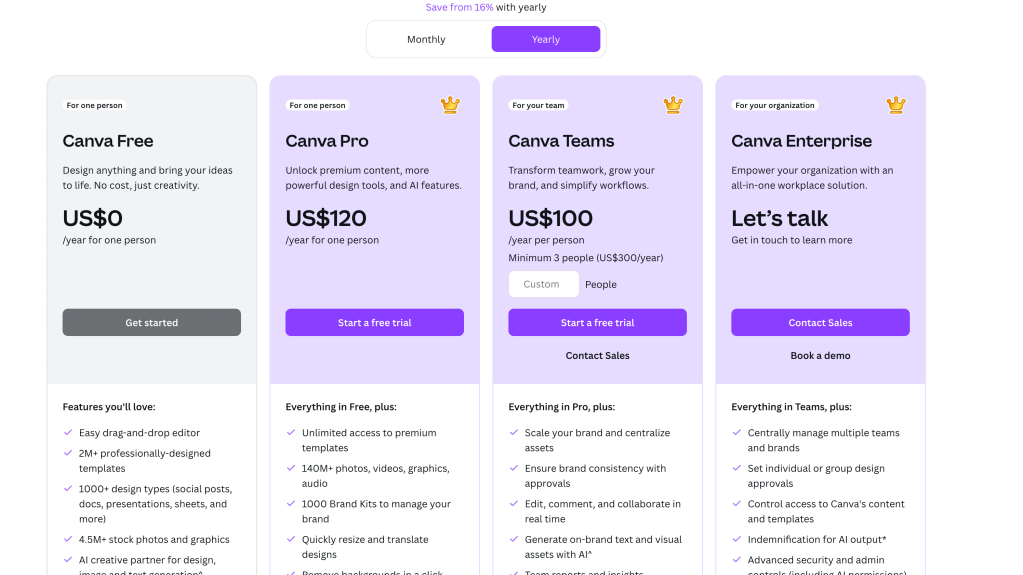
- Free plan: basic templates, basic stock assets, limited brand kit tools.
- Pro and Teams plans: expanded sets of premium templates and stock assets, brand kits, background removal, resizing tools, collaboration, and feedback workflows.
Best features:
The speed and access to professional‑level templates are beneficial. It is much faster to assemble a visual that is publication‑ready or social media‑ready than it would be from scratch with design software, especially under tight deadlines.
Worst features:
Template reuse can result in similar visuals across multiple users. Without customization, designs can look generic or too much like “template graphics.” The mobile version helps review or make minor edits, but for detailed layouts or precise alignment, the desktop/web interface is substantially better (similar to Grammarly).
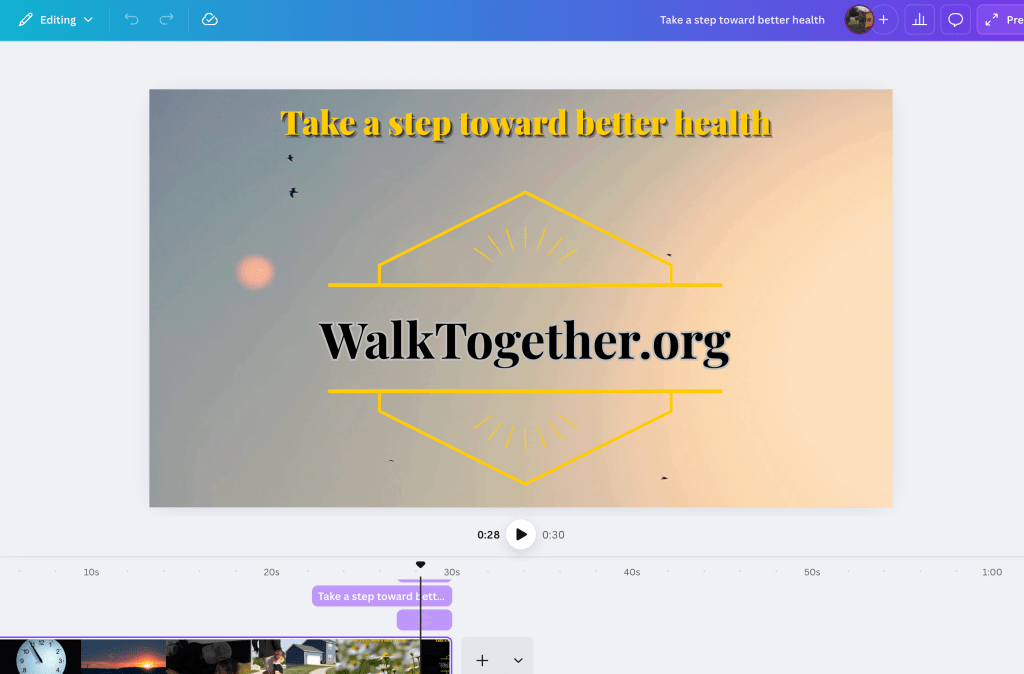
A promotional graphic made in Canva, encouraging better health, featuring the text ‘Take a step toward better health’ and ‘WalkTogether.org’ against a soft background with a sunset and birds.
Cross‑platform usability:
Canva works via browser/web and via mobile app. On desktop, all features are available: complete editing, precise controls, and extensive canvas work. On mobile, editing is more limited: easier for quick changes, crop/resizing, text adjustments, but not ideal for building complex or layered designs.
Conclusion: AI, Design, and the PR Professional
Using Grammarly and Canva in tandem illustrates a blend that many PR professionals will find increasingly necessary: the capacity to write with clarity—and rapidly—combined with the ability to produce engaging visual content on tight time frames. The AI suggestions in Grammarly help me refine drafts and maintain a consistent tone, while Canva’s design templates and formatting ideas free up time that I would otherwise spend fiddling with layout or visual styles.
Both tools have their trade‑offs: Grammarly sometimes misreads domain‑specific language or tone; Canva can produce generic visuals unless there is intentional customization. However, in a PR world shaped more than ever by AI and fast content cycles, they significantly raise baseline quality and productivity.
Grammarly
Grammarly. (n.d.). Grammarly: AI writing assistance. Retrieved September 21, 2025, from https://www.grammarly.com
Canva
Canva. (n.d.). What is Canva? Retrieved September 21, 2025, from https://www.canva.com
 Zoran Raduka | Public Relations Portfolio